

Tutorial for Training and Deploying an RL Policy from Isaac Lab to a Real Robot#
Overview#
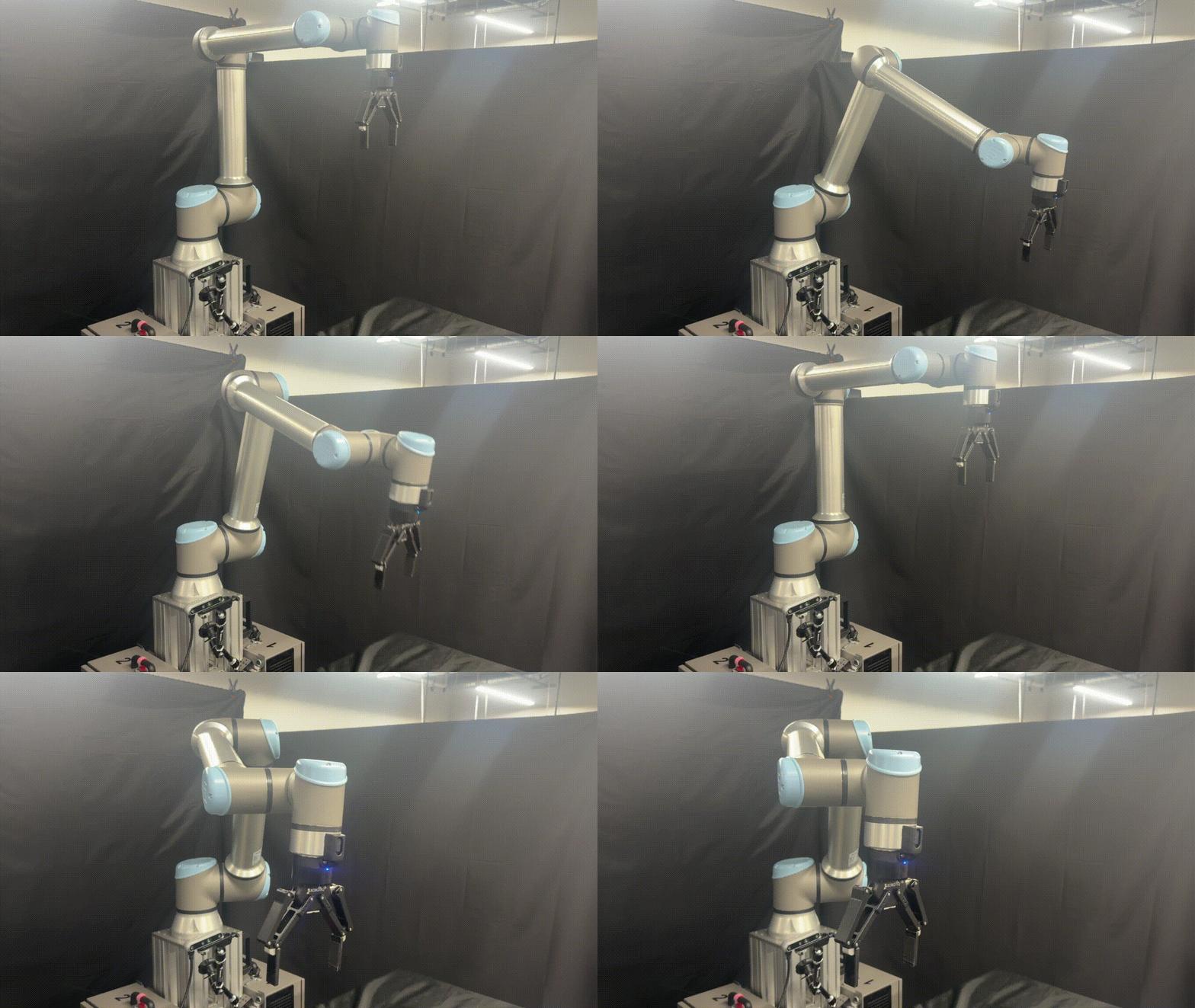
This tutorial guides you through the process of deploying a basic RL reach policy trained in Isaac Lab on the UR10e manipulator using Isaac ROS.
Prerequisites#
Follow the setup instructions in Setup Hardware and Software for Real Robot.
Tutorial#
Train and Validate Policy using Isaac Lab#
Set up Isaac Lab using the local installation.
Train a policy in the
Isaac-Deploy-Reach-UR10e-ROS-Inference-v0environment with RSL-RL:./isaaclab.sh -p scripts/reinforcement_learning/rsl_rl/train.py \ --task Isaac-Deploy-Reach-UR10e-ROS-Inference-v0 --headless
Validate the policy in simulation:
./isaaclab.sh -p scripts/reinforcement_learning/rsl_rl/play.py \
   --task Isaac-Deploy-Reach-UR10e-ROS-Inference-v0 --num_envs 1 --checkpoint <CHECKPOINT>
Replace
<CHECKPOINT>with the path to the.pthpolicy checkpoint file.
Deploy the Policy using Isaac ROS#
Set up your development environment using the instructions in getting started.
Install
isaac_ros_manipulation_ur_dnn_policyActivate the Isaac ROS environment:
isaac-ros activateInstall the prebuilt Debian package:
sudo apt-get update
sudo apt-get install -y ros-jazzy-isaac-ros-manipulation-ur-dnn-policy
Activate the Isaac ROS environment:
isaac-ros activateUse
rosdepto install the package’s dependencies:sudo apt-get update
rosdep update && rosdep install --from-paths ${ISAAC_ROS_WS}/src/isaac_ros_manipulation/isaac_ros_manipulation_ur_dnn_policy --ignore-src -y
Build the package from source:
cd ${ISAAC_ROS_WS} && \
   colcon build --packages-up-to isaac_ros_manipulation_ur_dnn_policy --base-paths ${ISAAC_ROS_WS}/src/isaac_ros_manipulation/isaac_ros_manipulation_ur_dnn_policy
Source the ROS workspace:
Note
Make sure to repeat this step in every terminal created inside the Isaac ROS environment.
Because this package was built from source, the enclosing workspace must be sourced for ROS to be able to find the package’s contents.
source install/setup.bash
Start the UR driver:
ros2 launch ur_robot_driver ur_control.launch.py ur_type:=<UR_TYPE> robot_ip:=<ROBOT_IP> initial_joint_controller:=impedance_controller launch_rviz:=False kinematics_params_file:=<calibration_file_path>
Replace
<UR_TYPE>with the type of your UR robot (for example,ur10e) and<ROBOT_IP>with the IP address of your robot.Note
Replace
<calibration_file_path>with the path to the calibration file for your robot. To calibrate your UR robot, refer to the ur_calibration usage.In a separate terminal, run the inference pipeline:
ros2 launch isaac_ros_manipulation_ur_dnn_policy inference.launch.py checkpoint:=<CHECKPOINT>
Replace
<CHECKPOINT>with the path to the.pthpolicy checkpoint file.In a separate terminal, set a target end-effector pose:
POSITION="{x: <X>, y: <Y>, z: <Z>}"; ORIENTATION="{w: <QW>, x: <QX>, y: <QY>, z: <QZ>}"
Replace
<X>,<Y>, and<Z>with the target end-effector position and<QW>,<QX>,<QY>, and<QZ>with the target end-effector orientation.Publish the target end-effector pose:
ros2 topic pub -r 60 /goal_pose geometry_msgs/msg/PoseStamped \
   "{ header: { stamp: now, frame_id: base }, pose: { position: $POSITION, orientation: $ORIENTATION } }"
Press play on the Teach Pendant to move the robot to the target end-effector position.
Troubleshooting#
Out of distribution start state of the robot before reach
The policy for reach is trained with only a specific number of Inverse Kinematics (IK) starting solutions.
The other thing to make sure is that the pose we are sending to the reach policy is also in distribution. We make sure of this by having a check at the policy level where before any inference, we check if the pose is in distribution. If you see a log message like the one shown below, then the pose is not in distribution and the reach policy is unlikely to work.
[WARNING] [observation_encoder_node]: target position out of distribution
It will also mention the bounds of the pose that are acceptable, if you want to change this distribution please check the target_pos_centre, target_pos_range, target_rot_centre, target_rot_range flags in the Isaac Lab documentation during policy training.
Conclusion
So in essence, the user must make sure to do the following things:
Ensure the robot is not in an OOD start state
Ensure the pose we are sending to the reach policy is in distribution
If you have verified all of the above, then the reach policy is likely to work.