

Ouster OS1 LiDAR Examples#
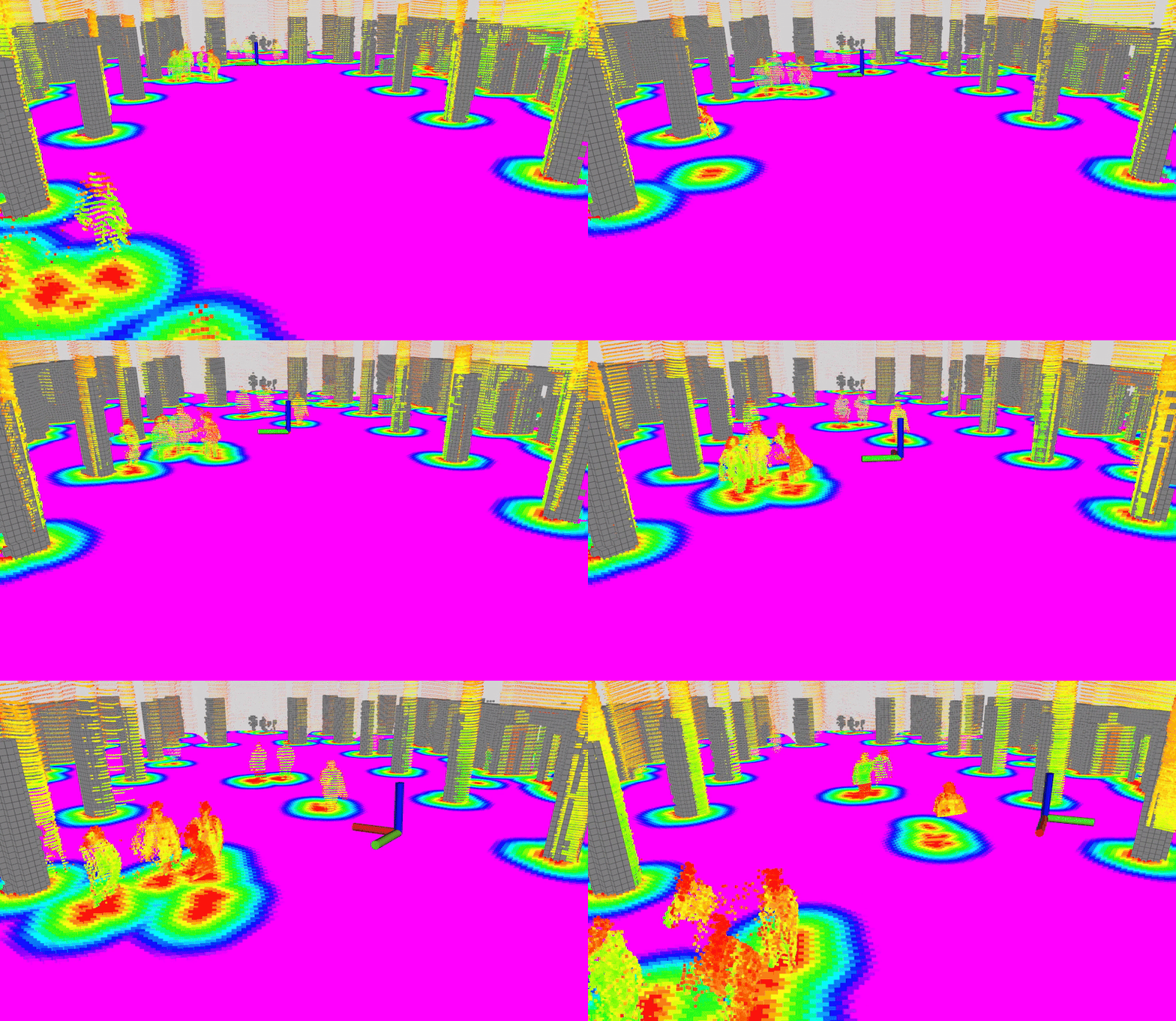
This page contains tutorials for running nvblox with the Ouster OS1 3D LiDAR sensor.
Note
This tutorial only supports running from rosbags, specifically the DOALS dataset. For live OS1 sensor integration, you will need to modify the provided launch file to include a sensor driver.
Prerequisites#
These are the steps common to running all examples on the Ouster OS1.
Complete the Getting Started.
Complete the nvblox quickstart.
OS1 Example#
This example runs nvblox-based reconstruction from Ouster OS1 3D LiDAR data recorded in a rosbag.
Download the DOALS dataset from NGC:
Make sure required libraries are installed.
sudo apt-get install -y curl jq tar unzip
Then, run these commands to download the asset from NGC:
NGC_ORG="nvidia"
NGC_TEAM="isaac"
PACKAGE_NAME="isaac_ros_nvblox"
NGC_RESOURCE="isaac_ros_nvblox_assets"
NGC_FILENAME="UrbanDynamicObjectsLidarDataset_hauptgebaeude.zip"
MAJOR_VERSION=5
MINOR_VERSION=0
VERSION_REQ_URL="https://api.ngc.nvidia.com/v2/resources/$NGC_ORG/$NGC_TEAM/$NGC_RESOURCE/versions"
AVAILABLE_VERSIONS=$(curl -s \
    -H "Accept: application/json" "$VERSION_REQ_URL")
LATEST_VERSION_ID=$(echo $AVAILABLE_VERSIONS | jq -r "
    .recipeVersions[]
    | .versionId as \$v
    | \$v | select(test(\"^\\\\d+\\\\.\\\\d+\\\\.\\\\d+$\"))
    | split(\".\") | {major: .[0]|tonumber, minor: .[1]|tonumber, patch: .[2]|tonumber}
    | select(.major == $MAJOR_VERSION and .minor <= $MINOR_VERSION)
    | \$v
    " | sort -V | tail -n 1
)
if [ -z "$LATEST_VERSION_ID" ]; then
    echo "No corresponding version found for Isaac ROS $MAJOR_VERSION.$MINOR_VERSION"
    echo "Found versions:"
    echo $AVAILABLE_VERSIONS | jq -r '.recipeVersions[].versionId'
else
    mkdir -p ${ISAAC_ROS_WS}/isaac_ros_assets && \
    FILE_REQ_URL="https://api.ngc.nvidia.com/v2/resources/$NGC_ORG/$NGC_TEAM/$NGC_RESOURCE/\
versions/$LATEST_VERSION_ID/files/$NGC_FILENAME" && \
    curl -LO --request GET "${FILE_REQ_URL}" && \
    unzip -o ${NGC_FILENAME} -d ${ISAAC_ROS_WS}/isaac_ros_assets && \
    rm ${NGC_FILENAME}
fi
Note
This dataset is mirrored from the DOALS dataset and redistributed under its Creative Commons license. Review the license terms on the dataset page before use. Cite the original authors when using the dataset in your research:
Convert the ROS1 bag to ROS2 format:
cd $ISAAC_ROS_WS/isaac_ros_assets
pip install rosbags --break-system-packages
rosbags-convert --src hauptgebaeude/sequence_1/2020-02-20-11-58-45.bag --dst hauptgebaeude_ros2
Note
The
--break-system-packagesoption is required on recent versions of Python-pip if you are not using a virtual environment.Note
For more details, see the Rosbags Conversion Guide.
Activate the Isaac ROS environment:
isaac-ros activateRun the OS1 example with your converted rosbag:
ros2 launch nvblox_examples_bringup os1_example.launch.py \
    rosbag:=$ISAAC_ROS_WS/isaac_ros_assets/hauptgebaeude_ros2 mode:=dynamic
Note
The OS1 example supports mode:=static (default) and mode:=dynamic arguments.
As the DOALS dataset contains groups of people walking around, the dynamic mode is recommended to reconstruct the scene.
Unlike camera-based examples, LiDAR does not support people segmentation or detection modes.
Note
The DOALS dataset contains motion distorted LiDAR data (i.e. the sensor was moving significantly during scan recordings).
To increase the quality of the reconstruction, nvblox is running CUDA-accelerated motion compensation.
Each point in the pointcloud is motion compensated by approximating the sensor frame at the time of the
point’s acquisition with an interpolation of the sensor pose between scan start and end.
The use_lidar_motion_compensation parameter (default is true) can be used to enable or disable motion compensation.