Tutorial for AprilTag Detection with a USB Camera
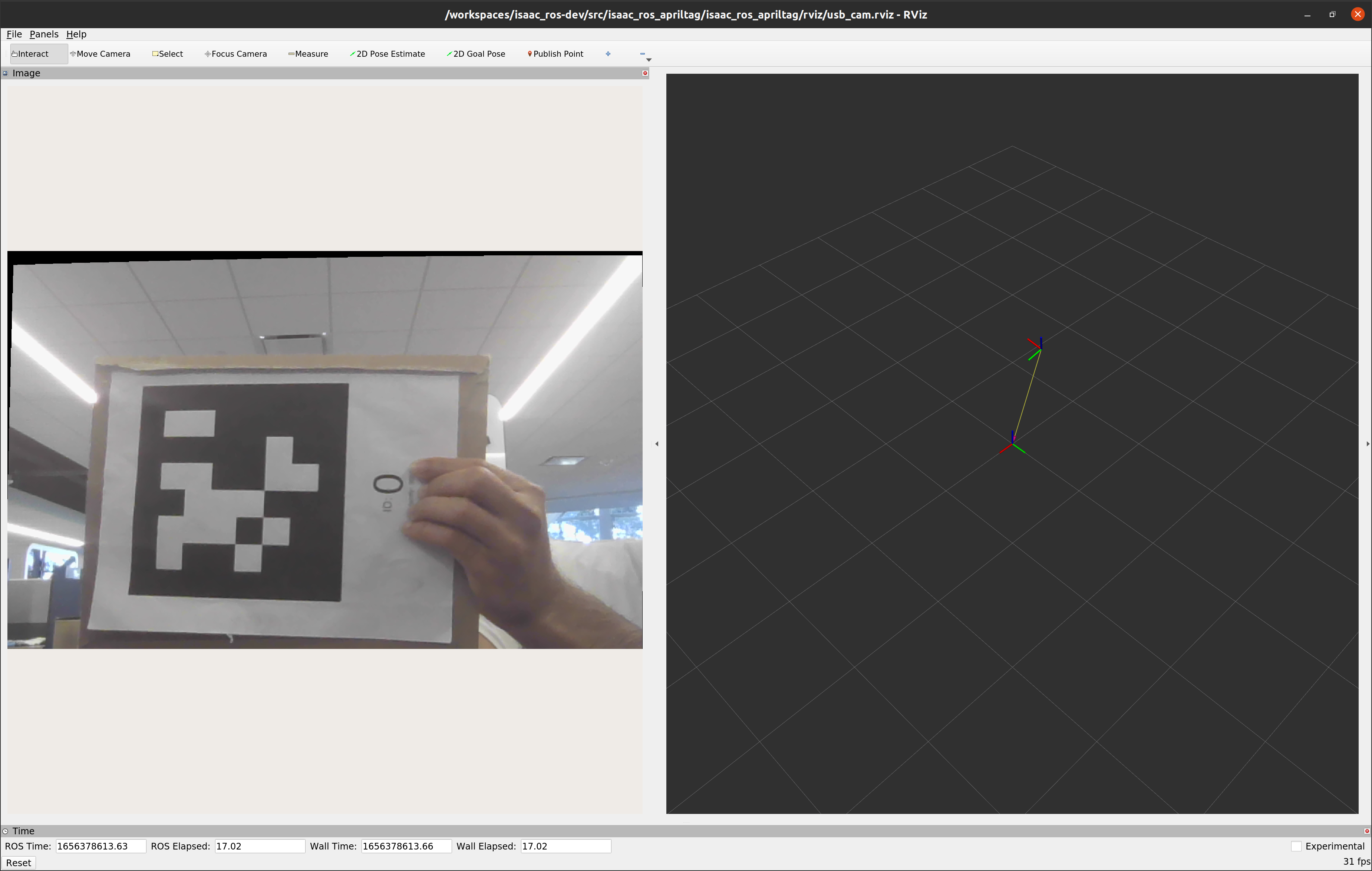
Overview
This tutorial walks you through a graph to estimate the 6DOF pose of AprilTags using images streamed from a USB camera.
Tutorial Walkthrough
Complete the Isaac ROS AprilTag Quickstart section.
Calibrate the camera following instructions in the camera calibration tutorial. For step 11, use
isaac_ros_apriltagin place of<isaac_ros_package>Clone the ROS 2
usb_campackagecd ${ISAAC_ROS_WS}/src && git clone -b ros2 https://github.com/ros-drivers/usb_cam
Launch the Docker container using the
run_dev.shscript:cd ${ISAAC_ROS_WS}/src/isaac_ros_common && \ ./scripts/run_dev.sh
Inside the container, build and source the workspace:
cd /workspaces/isaac_ros-dev && \ colcon build --symlink-install && \ source install/setup.bash
Finally, launch the provided launch file:
ros2 launch isaac_ros_apriltag isaac_ros_apriltag_usb_cam.launch.py
Launch a second terminal inside the container
cd ${ISAAC_ROS_WS}/src/isaac_ros_common && \
    ./scripts/run_dev.sh
Run RViz2 using the preset config file
rviz2 -d /workspaces/isaac_ros-dev/src/isaac_ros_apriltag/isaac_ros_apriltag/rviz/usb_cam.rviz
Note
Your camera vendor may offer a specific ROS 2-compatible
camera driver package and you can use that in place of the usb_cam
package.
Warning
If you are using a different camera driver
package ensure that the camera stream publishes Image and
CameraInfo pairs to the topics /image and /camera_info,
respectively.